
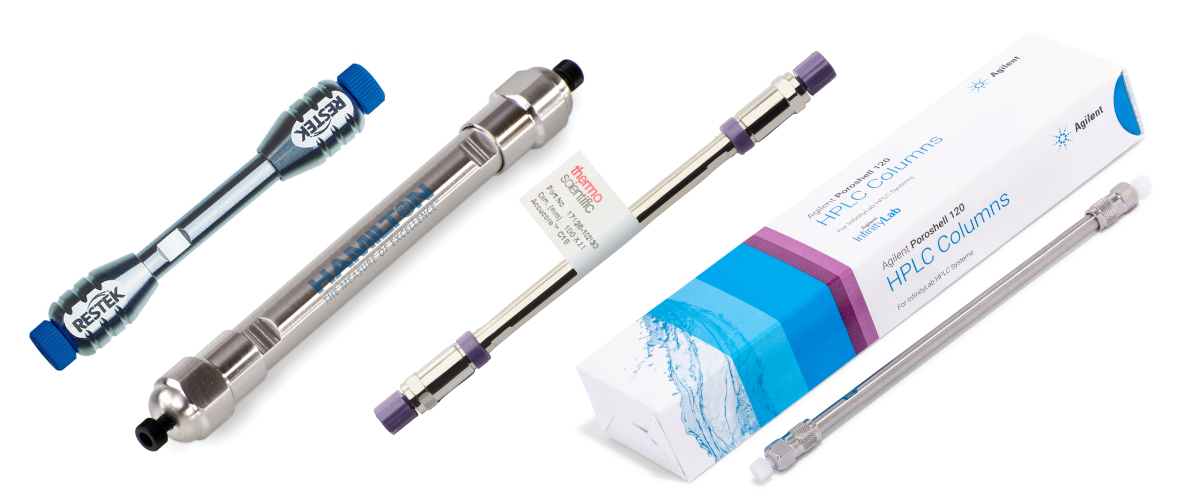
Pressure is a normal part of every HPLC system because solvents are pushed through tightly packed beds of fine particles inside the column. To troubleshoot excess pressure effectively, it is important to know the normal operating pressure of both the HPLC column and the system itself, including the pressure observed when no column is installed.
Elevated pressure is most often caused by particulates accumulating in the flow path. These particulates may originate from the sample, mobile phase, or worn system components. For this discussion, the assumption is that troubleshooting has already shown the pressure increase to be isolated to the column rather than to tubing, fittings, or other parts of the instrument.
Understanding the Impact of Column Blockage
Column blockage reduces chromatographic performance and can affect several important system parameters:
- Increased Pressure: Obstructions raise backpressure and place additional stress on pumps and seals
- Reduced Efficiency: Uneven flow through the packed bed lowers separation quality and resolution
- Peak Deformation: Broad or distorted peaks make data interpretation and quantitation more difficult
Good sample preparation and regular maintenance help reduce clogging and extend both column and system life.
Why Checking for Leaks Is Essential
Leaks in fittings, tubing, or connections can affect both system performance and pressure interpretation. Even though this page focuses on pressure isolated to the column, leak checks remain an important part of overall HPLC troubleshooting.
- Pressure Drops: Leaks may cause lower-than-expected pressure readings
- Flow Instability: Inconsistent flow can reduce peak resolution and shift retention times
Unchecked leaks can lead to inaccurate data, downtime, and premature wear of system components. Routine inspection of fittings and connections helps identify these problems early.
The Role of Temperature in Column Pressure
Temperature directly affects solvent viscosity and therefore has a strong influence on HPLC backpressure. As column temperature rises, the viscosity of the mobile phase usually decreases, which lowers flow resistance and reduces system pressure.
- Viscosity Changes: Higher temperature lowers solvent viscosity and backpressure
- Molecular Interactions: Elevated temperature can reduce analyte-stationary phase interactions and shorten retention
- Thermal Expansion: Slight changes in column material dimensions can influence flow behavior
Using a controlled column oven and monitoring temperature consistently helps improve reproducibility and reduce pressure fluctuations that may also affect peak shape.
Reducing Column Pressure
Many pressure problems are caused by a clogged inlet frit. In those cases, backflushing the column may help restore normal flow and pressure if the column manufacturer allows it.
How to Backflush an HPLC Column
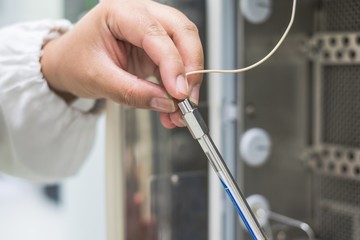
- Reverse the column direction: Disconnect the column and connect the outlet where the inlet would normally be. Direct the new outlet to waste. Never backflush into the detector.
- Perform a solvent wash: Use column-compatible solvents recommended by the manufacturer. High flow rates may help remove particulates, while lower flow rates are often better for dissolving adsorbed contaminants.
- Reconnect and test: Return the column to its normal orientation and check pressure and chromatographic performance. If pressure remains high, a longer flush or column replacement may be required.
Preventing Excess Column Pressure
“An ounce of prevention is worth a pound of cure.” — Benjamin Franklin
The best way to reduce HPLC column backpressure long term is to prevent contamination from reaching the column in the first place:
- Filter samples before injection using syringe filters, filter vials, centrifuge filters, or 96-well filter plates
- Use inline filtration with inline filters and guard columns to protect the analytical column
- Schedule regular maintenance and replace worn piston seals, rotors, and needle seats before debris buildup affects flow
- Use high-purity solvents and store them properly to reduce particulate formation and microbial growth
These preventive practices reduce the risk of overpressure, preserve column efficiency, and minimize downtime for cleaning, maintenance, or replacement.
Practical Summary
To reduce HPLC column backpressure, minimize particulates, filter both samples and solvents, maintain the LC system proactively, and use protective devices such as inline filters and guard columns. If pressure remains high after system checks confirm the issue is isolated to the column, backflushing may help when the manufacturer permits it. If regeneration fails, replacing the column is often the most practical solution for restoring reliable performance.